 Wing FTP Server

 English
 Deutsch
 简体中文
简体中文- v1.07 improves the download process. In the old version, download can't continue when popup interface closes or disappears.
- v1.08 fixes a few issues and supports 15 languages.
- v1.11 is ready to support the new UI of WingFTP.
How to download this extension?
Google Chrome/Opera/Brave users may download this extension from:
https://chrome.google.com/webstore/deta ... liehkjocgk
Microsoft Edge users may download this extension from:
https://microsoftedge.microsoft.com/add ... agkgkhpgol
Firefox users may download this extension from:
https://addons.mozilla.org/en-US/firefo ... nager-new/
For Google Chrome/Opera/Brave, please disable the browser option "Settings -> Downloads -> Ask where to save each file before downloading".
For Microsoft Edge, please disable the browser option "Settings -> Downloads -> Ask me what to do with each download".
How to use this extension?
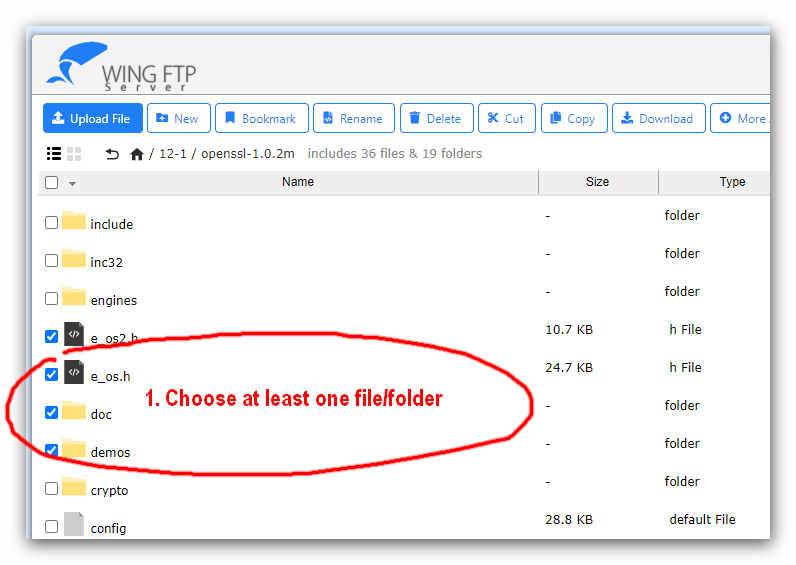
1. Select multiple files/folders in the web client by mouse dragging (or hold CTRL key and click the filename you want to select).
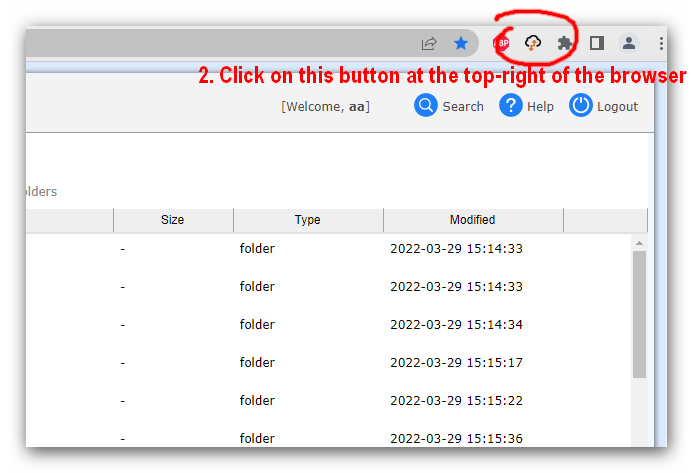
2. Click on the icon of this extension at the top-right of the browser.
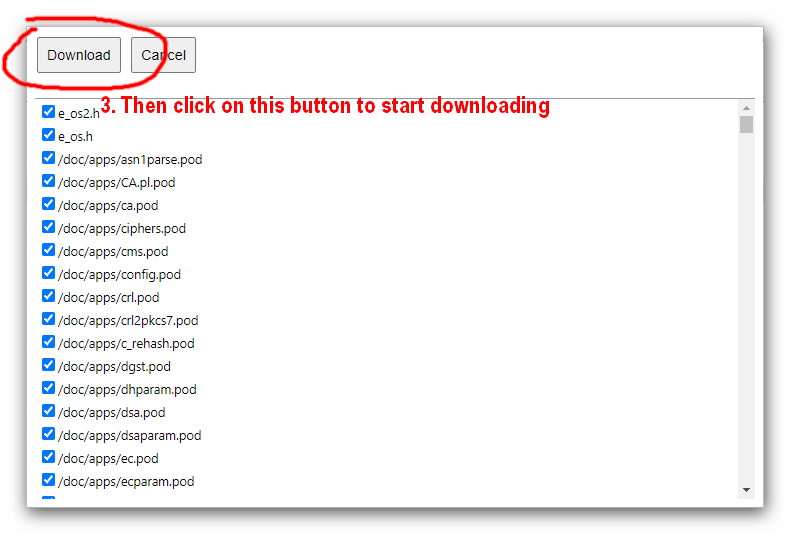
3. Click on the button "Download" to start downloading.
Cannot download files via this extension
If you can't download files/folders, please check the following things under WingFTP:
1. Do not modify the tag "<title>" in the html file "/webclient/index.html" and "/webclient/main.html".
2. When using HTTPS, please use a signed SSL certificate for the web client (self-signed cert may not work).
3. Please make sure you have "File Read" permission for the user folder, and file access rules allow downloading files.