Add a "Forget Password" function in the web client
Posted: Mon May 30, 2022 7:05 am
First, replace the login page with a modified version for the web client, just download and unzip this zip file into the folder "/webclient": https://www.wftpserver.com/bbsres/resetpass.zip
Then the web client's login page will look like this:
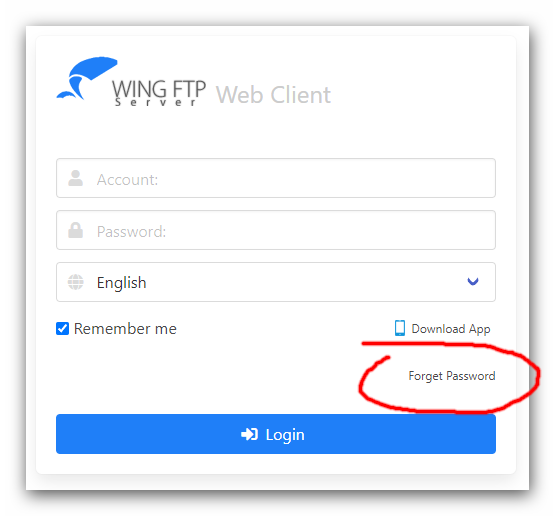
If your clients forget the login password, they can click the button "Forget Password", fill out the form and click the button "Reset Password". If the requested name and email address are correct, a new password will be sent to client's mailbox.
So the client's email address must be defined at "Domain -> Users -> Edit a user -> Notes -> Email address".
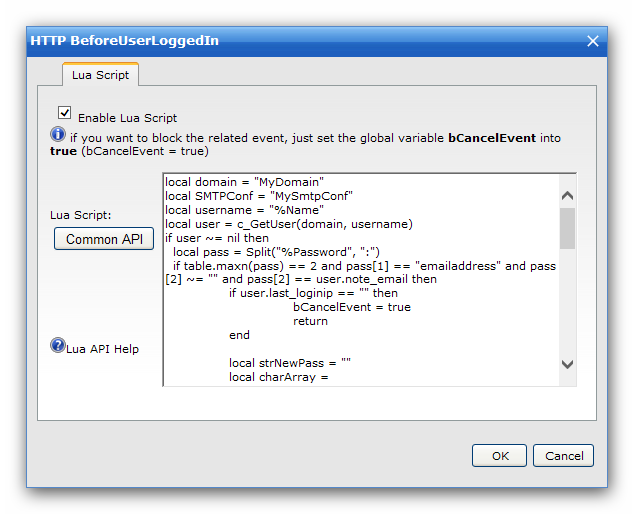
Next, you should insert the below Lua script into "Event Manager -> HTTP Events -> BeforeUserLoggedIn":
Here, "MyDomain" is the current domain name, you need to change it into your own. And "MySmtpConf" is the SMTP configuration name which defined under "Server -> Settings -> SMTP configuration manager".
Then the web client's login page will look like this:
If your clients forget the login password, they can click the button "Forget Password", fill out the form and click the button "Reset Password". If the requested name and email address are correct, a new password will be sent to client's mailbox.
So the client's email address must be defined at "Domain -> Users -> Edit a user -> Notes -> Email address".
Next, you should insert the below Lua script into "Event Manager -> HTTP Events -> BeforeUserLoggedIn":
Code: Select all
local domain = "MyDomain"
local SMTPConf = "MySmtpConf"
local username = "%Name"
local user = c_GetUser(domain, username)
if user ~= nil then
  local pass = Split("%Password", ":")
  if table.maxn(pass) == 2 and pass[1] == "emailaddress" and pass[2] ~= "" and pass[2] == user.note_email then
	if user.last_loginip == "" then
		bCancelEvent = true
		return
	end

	local strNewPass = ""
	local charArray = {'0','1','2','3','4','5','6','7','8','9','a','b','c','d','e','f','g','h','i','j','k','l','m','n','o','p','q','r','s','t','u','v','w','x','y','z','~','!','@','#','$','^','&'}
	math.randomseed(c_GetRandom())
	math.random()
	for i=1,10 do
		local nowindex = math.random(1,table.maxn(charArray))
		strNewPass = strNewPass..charArray[nowindex]
	end

	local bMailSent = c_SendMail(user.note_email,"Your password has been changed in WingFTP","Your password has been changed in WingFTP. \nThe new password is: "..strNewPass,"",SMTPConf)
	if bMailSent == true then
		for k,v in pairs(user) do
			if type(v) == "boolean" then
				if v == true then
					user[k] = 1
				else
					user[k] = 0
				end
			end
		end

		user.password = strNewPass
		AddUser(domain, user)
		c_ResetUserLoginIP(domain, username)
	end
	bSelfAuthenticated = true
  else
    bSelfAuthenticated = false
  end
else
  bSelfAuthenticated = false
end